Choose an Ebook Format by the Page You Need to Read
Compare a chapter, a diagram, and a footnote on the actual reading device before choosing how to keep or carry a digital book.
In this article
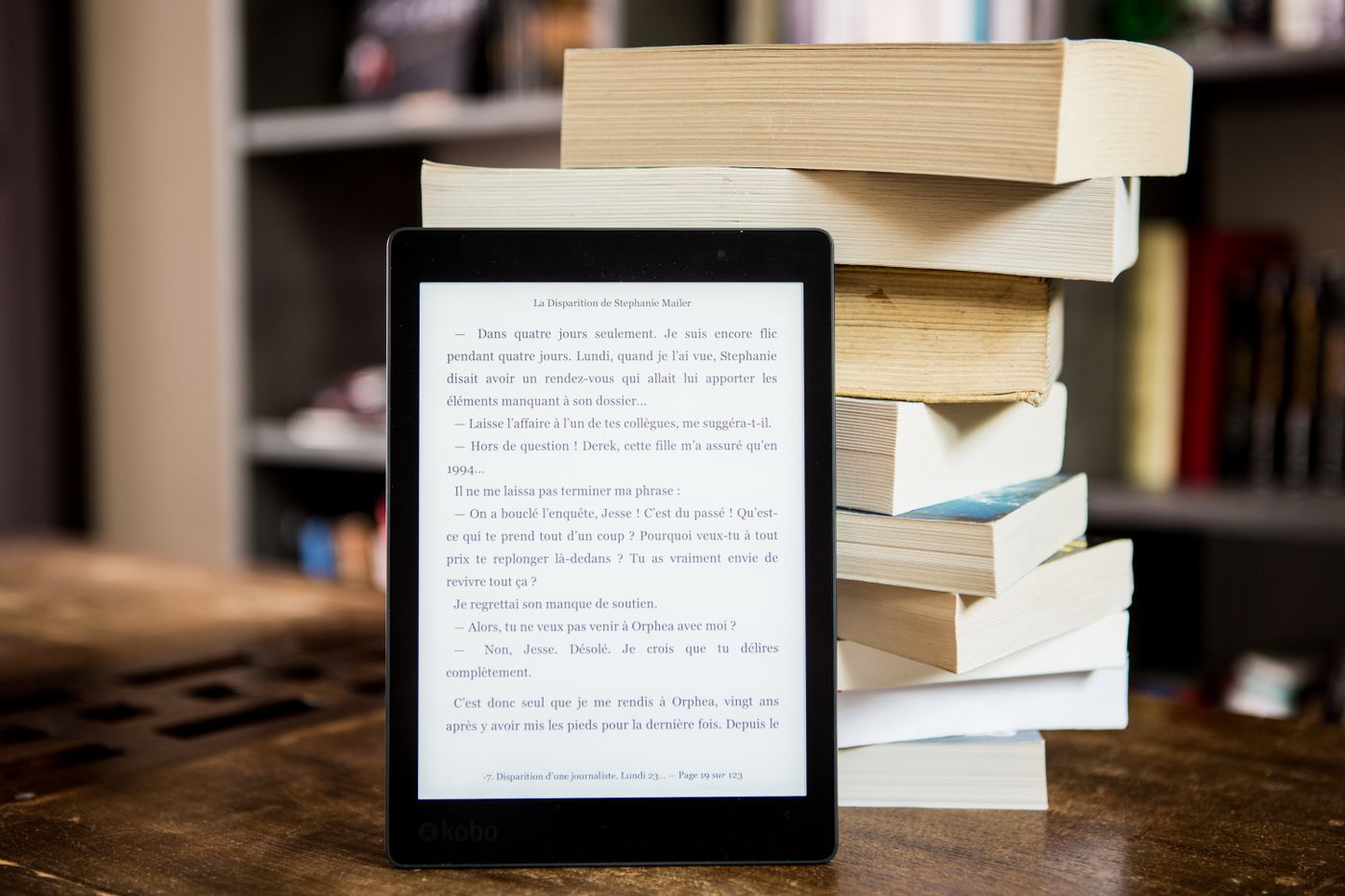
An e-reader can make a long novel disappear in a good way. You turn pages for an hour and scarcely think about the device. Give that same reader a scanned book about woodworking and you may spend the hour moving a bright little rectangle around a single drawing. The digital file is present in both cases. In one, it has adapted to the page you are holding. In the other, you are adapting yourself to a page made for something else.
When choosing a digital edition or deciding what to carry, identify the portion that must work. For a novel, it might be a few pages of continuous text. For a guide, it could be a diagram and the measurements printed beside it. For a book used in a class, it may be the same page number other people will refer to. If you test those parts before you commit to a format, the differences are immediately visible.
Begin with a page that has a reason to move
Open a long paragraph and enlarge the type. In a reflowable book, words can wrap at the new line width, and the app can recalculate where each screen ends. That lets you read down the page without shifting horizontally. A large font can display fewer words at a time. The printed page boundaries may no longer correspond to every screen, although some editions include markers that refer to another pagination system.
A fixed layout preserves the positions of objects relative to the page. That is useful for a comic panel, a plate with annotations, or a historical page whose margins have meaning. Enlarge the whole page and a small reader may only show part of it at once. This is manageable if you inspect a single illustration occasionally. It can be exhausting when each line of a dense article requires moving side to side.
The filename can give you a clue, but open the actual file. EPUB supports both reflowable and fixed layouts. A PDF can contain searchable text or images of pages, and the reader's treatment of a PDF can vary. A file that preserves the page may still have a useful navigation layer or an accessible alternate edition. Avoid drawing a conclusion about the whole format from a single particularly awkward book.
Try three representative passages
Start with a page in the middle of an ordinary chapter. Read for two minutes using the font, light setting, and orientation you expect to use. Increase the text size by one step and see what happens to paragraph breaks and line endings. Try selecting a word if dictionary lookup or highlighting is part of your routine. Some files give you the appearance of text without letting you select it, and some readers handle that better than others.
Find the trickiest diagram next. Check that you can see the labels at the same time as the relevant lines or objects. A botanical plate or wiring illustration can be readable in pieces yet difficult to understand unless two areas are visible together. Try landscape orientation if the device supports it. Zoom to the useful level and ask whether you can return to the page overview quickly. That back-and-forth is what ordinary use will feel like.
For the third passage, choose a footnote or a cross reference. Tap it and return to the main text. A short note may open in a box, lead to another page, or be available only as plain text. The behavior depends on the edition and reader. Check how you return. A book with hundreds of notes can feel very different if every visit to a note forces you to search for your original paragraph. Also try the table of contents. Being able to navigate to chapter seven is often more practical than memorizing the location of any individual page.
Decide which numbers you need to keep
Suppose a group meeting starts with “read the passage on page 142.” A fixed page image with page 142 intact makes that instruction easy to follow. A reflowable copy may show a progress percentage, a screen count, a publisher's page reference, or an internal location number. Those indicators are useful in different ways. Inspect what your edition displays and whether it corresponds to the edition the group uses. Give the group a chapter and a few identifying words if you need references that cross editions.
A technical guide has a similar issue with diagrams and tables. The page number may be less important if the figure has a stable caption and the book's search can find it. A scanned edition may preserve the exact layout but lack reliable text recognition, so a search for a caption can miss the figure. See whether the original has an index or whether another authorized edition provides better searchable material. A little attention to navigation can save more time than a faster reader.
If you take notes, try making a small citation and returning to its source later. Save a chapter title, section heading, or short quoted phrase where appropriate. Test whether a note exported by the reader still carries enough information to find that text. The ability to import the book and the ability to carry your annotations elsewhere are separate questions. If annotations matter, compare them before moving an entire reading collection.
Match the device to the places you read
A small reader is pleasant on a bus when one hand is free and the text wraps. It may be less suitable for a landscape atlas. A larger tablet or computer can show an entire page more comfortably. It is worth trying both when you have access to them. You can read prose on the portable device and keep the diagrams available in the larger edition or view, provided the versions are legitimately available to you and their references can be matched.
Do an offline test before traveling. Open the book at the expected location with network access disabled where it is safe to do so. Turn a few pages and try the table of contents or a saved note. A cover visible in a library view may be a catalogue entry rather than a downloaded book. If you use a borrowed title, check the loan date and the service's ordinary offline behavior. Plan around the access you actually have rather than assuming a download changes the terms of a loan.
Consider chapter loading and navigation speed as well as text appearance. A heavy illustrated chapter can be tolerable if you need it for one consultation and awkward if you must flip repeatedly among several pages. Try going from the index to a recent page and then to another chapter while holding the reader as you normally would. A device that can display a file may still place too much effort between you and the paragraphs you want.
Keep a useful copy in the form you were given
When choosing among editions you are allowed to download, record which one opens well on your reader. Keep the original file if you make an authorized alternate version for a different device. Automatic conversion can alter a table, move an image away from its explanation, or flatten the arrangement of a page. Compare the three representative passages again. For books tied to a service, use its documented access options. A portable edition you can lawfully obtain from the publisher may be a better fit for a second reading device.
Name loose files so that similar editions are easy to distinguish. The title and author are a good start. Add an edition or year when pagination or annotations depend on it. If you maintain a reading list, note whether a title is a device download, a file you keep, or an item you can borrow again. Each behaves differently when you replace a device or travel without a connection. Knowing which state you are in prevents a last-minute search for a book you thought was already present.
The choice becomes clear when you look at the difficult passage. If you can change the type and read the chapter naturally, reflow gives you a useful kind of freedom. If comparing two parts of the same drawing is the job, a preserved page may be worth a bigger screen. Both are ways of making the actual book more usable. The best evidence is the few minutes you spent on an ordinary chapter, a demanding illustration, and a note you could open and close without losing your place.
On a shared reading device, make the same check using the profile or account that will actually open the title. A book can display correctly for one person and be unavailable to another under the service's sharing rules. Check the reading progress and annotations using ordinary supported features before you count on either being shared.
Specification reference
The W3C EPUB specification distinguishes reflowable and fixed-layout publications and describes how layout information can be encoded. Reader support and an individual publication's behavior still deserve a practical test.