Test a Phone Screen Protector With the Case On
Use an edge check and an ordinary touch test to separate a protector that suits your phone from one that merely fits its advertised size.
In this article
The protector looks centered while the phone is lying bare on the table. Put the usual case back on and a small pale crescent appears in the lower corner. You press it down. It returns two hours later. Meanwhile a swipe inward from one edge still works, and a swipe from the other requires a conspicuously deliberate start. The protector was made for the right phone. The fit that mattered was the combination you use when you leave the house.
Compare the exact phone, the actual case, and the features you need to remain usable. A demonstrator without a case can help you see how different materials feel. It tells you little about the gap in your own assembly. Make a short baseline first and collect evidence after installation. The results should distinguish an ordinary preference about the feel of a new surface from a problem with the edge, mounting, or touch response.
Identify the boundaries before you order
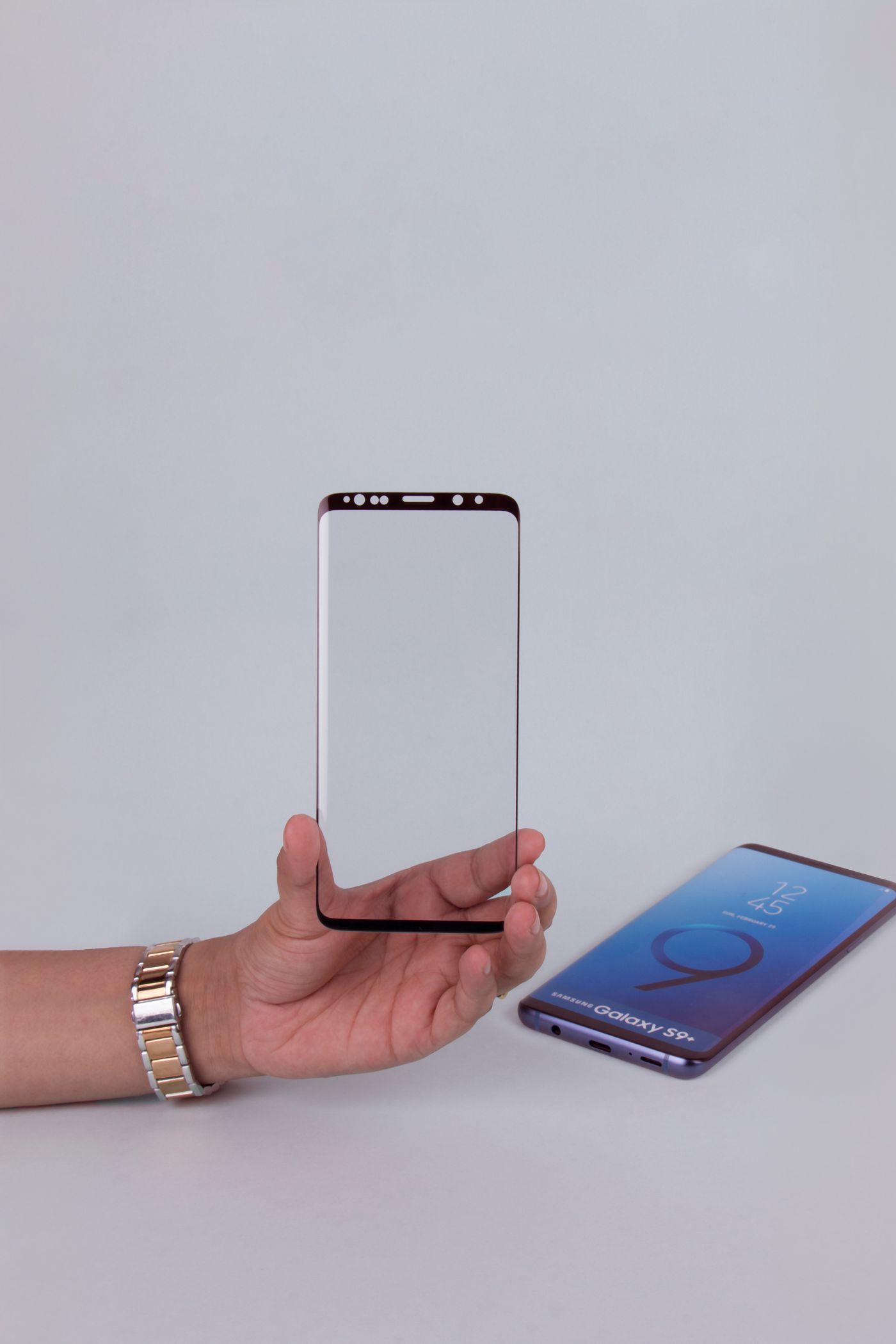
Check the exact phone model rather than just the display diagonal or product family. Models marketed together can have different sensor positions, case shapes, side edges, or front glass geometry. Find the stock number and fit description for the screen protector. See which parts it is designed to cover and which it leaves open. A black border, for instance, could be designed to sit over an inactive edge. If it ends up over visible information, placement and product fit are worth checking before you blame the display.
Examine the inside edge of the case. A case with a protective lip may wrap over the curved transition of the phone. If the protector extends into that region, the case can put pressure on it after installation. Product descriptions use terms such as case compatible, but they may not describe the specific case you chose, especially if it was made by another company. Check both makers' guidance and look for a clear statement about the intended coverage. Where the fit is uncertain, use a supported trial or an appropriate way to resolve the uncertainty before installing multiple units.
Decide which front features matter. A thin clear surface changes what covers parts of the phone. A textured finish might feel good under a finger and change how a stylus behaves. Some models use a fingerprint sensor through the display. Google publishes compatibility guidance and lists certified screen protectors for certain Pixel models, for example. Check the relevant phone maker's instructions rather than assuming a statement about another device applies. Keep the normal supported security settings and confirm that you know the standard unlock method before changing anything around the sensor.
Make a short touch baseline
Use the phone and current case in their usual arrangement. Open a disposable note or another suitable screen and type a line containing letters near both sides of the keyboard. Try selecting a part of the text, moving around a long page, and performing an edge gesture you use every day. If the screen supports a stylus you rely on, make a few careful strokes in a harmless note and check their start and end points. Avoid diagnosing with an activity in which a mistaken tap could create a purchase or send a message.
Treat the edges and center separately. Note where your finger begins a gesture and whether the drag runs out of clear space before the phone responds. Repeat it a few times with your ordinary grip. Some awkwardness may already come from a high case lip, a personal gesture setting, or a different touch style between apps. Seeing that before adding a protector gives you a fair baseline. Do the activity at a normal pace after the careful test. The small differences that matter show up when you are using the phone as usual.
If you normally unlock through a supported on-screen fingerprint sensor, observe how it behaves before installation as well. Reproduce the ordinary conditions you can control without changing your security setup. A single successful unlock tells you little about the behavior during the rest of a week. A series of attempts that works in the familiar routine is a useful point of comparison. Follow the device's official instructions, including any compatibility checks or enrollment steps it recommends after installing a supported accessory.
Compare placement with touch, then put the case back
Follow the instructions supplied with the phone and screen protector. Choose a clean working surface and an installation method that suits the device. Use the handling and cleaning directions for the exact materials, particularly where the screen or a factory-applied film has special restrictions. Do not assume a foldable or another specialized display can accept the same accessory or preparation as a conventional glass screen. If alignment aids are supplied, use them as directed. Where the maker calls for professional installation, follow that recommendation.
Before returning the case, look at the normal viewing area and visible sensor or speaker positions. Check for the expected clearances and an obvious off-center edge. If an installation leaves a sharp exposed edge, broken glass, or a protector that does not remain properly attached, stop using that part and follow the appropriate removal or service guidance. Avoid repeatedly forcing a piece back onto the screen. A temporary improvement under your finger is not a durable fit.
Put the case on according to its instructions once the installation allows it. Watch each corner as it goes into place. Check whether the case lip touches or lifts the protector. A mark that appears only after the case is fitted points toward interference, though you still need to check alignment and the intended coverage. Do not confuse a visible gap on one side with the normal clearance designed into a particular pair of products. Compare the opposite edges and the maker's diagrams, and inspect the result again after ordinary handling.
Repeat the exact actions that tell the two problems apart
Use the same test note, typing line, and gestures you used before. Try the center of the display first. Then work toward each edge using the ordinary grip. Look for a consistent missed tap, a stroke that stops early, or a gesture that changes only where the case and protector meet. A different sensation under the finger can be a normal preference issue. A repeatable failure to register expected touch in one area deserves a closer look at the exact combination and the device maker's recommendations.
Compare your normal unlock experience without changing several unrelated settings at once. If the accessory maker and phone maker give directions for a supported combination, check those before assuming the sensor is faulty. A renewed enrollment or other supported adjustment may be part of the documented process for an approved protector. Keep allowed fallback methods available. If an important feature remains unreliable, the clean decision may be an accessory with explicitly documented support rather than accepting an avoidable daily problem.
Consider another relevant input mode. If you use a stylus, try ordinary handwriting in the same app and notice whether it begins immediately, travels to the point you expect, and stops where you lift it. If you use gesture navigation, test from each edge rather than judging a single swipe over the middle. If you use an accessibility feature that changes timing or gesture behavior, preserve it, and test using your normal way of working. Your phone can pass somebody else's standard demonstration and still be wrong for a feature you depend on.
Wait for the pressure point to repeat
Give an acceptable installation some time in your normal use. Revisit the spots that were nearly in contact when you fitted the case, and notice what happens when the phone is handled or the case is removed and replaced as intended. A steady edge and a repeatable touch result after a day or two are more informative than the first few minutes on an uncluttered table. If a failure appears, record which corner or action is involved and the circumstances in which it first happened.
Use your notes to decide what to change. A protector that lifts under the lip may need a more suitable coverage shape or a different case. A protector whose fit is fine but whose texture makes long writing awkward may simply be the wrong finish for you. A touch problem previously present on the same edge calls for a wider comparison before buying another accessory. Keep one change per test and only repeat installation where the products and safety directions allow it.
The wanted result is a phone you stop thinking about. It goes into the case without a corner lifting, captures the touches you intend, and supports your usual sensor and navigation functions. Exact fit is a matter of those small daily outcomes. Confirm them before judging the screen protector by its appearance alone.
Keep the packaging or write down the part number when a combination works. Two similarly named protectors can cover different amounts of the screen, and an updated case can change the available space. Record the pairing you actually tested so the next replacement starts with better evidence than a remembered label.
Device reference
Google's Pixel documentation gives an example of model-specific screen protector guidance for an in-display fingerprint sensor. Use the official help for your precise device.